




 Access
 Antigravity
 Portfolio
 dbForge Studio
 SQL Server
 Dreamweaver
 Instapage
 10Web
10Web
-
Latest Version
Apache Tomcat 11.0.22 LATEST
-
Review by
-
Operating System
Windows 7 / Windows 8 / Windows 10 / Windows 11
-
User Rating
Click to vote -
Author / Product
-
Filename
apache-tomcat-11.0.22.exe
Developed and maintained by the Apache Software Foundation (ASF), Tomcat serves as a robust, lightweight, and highly configurable web server and servlet container.
Apache Tomcat for Windows is primarily used for deploying Java-based web applications and is favored by developers due to its flexibility, scalability, and extensive community support.
Tomcat acts as a middleware solution, allowing developers to deploy Java-based applications with ease.
While it is not a full-fledged application server like JBoss or WebSphere, it provides essential functionalities required for running Java web applications efficiently.
Main Features
Servlet and JSP Support – Runs Java Servlets and JavaServer Pages (JSP) applications seamlessly.
Lightweight and Fast – Uses minimal system resources, making it a great option for small to medium-scale applications.
Built-in Security Features – Supports Secure Socket Layer (SSL), role-based authentication, and access control.
Extensive Configuration – Highly customizable through XML configuration files.
WebSocket Support – Implements WebSocket API for real-time communication.
Open-Source and Free – Maintained by Apache, it benefits from community contributions and regular updates.
Integration with Other Tools – Compatible with tools like Eclipse, NetBeans, and IntelliJ IDEA for development and debugging.
Load Balancing and Clustering – Can be used in large-scale distributed applications.
User Interface
Apache Tomcat does not have a graphical user interface (GUI) like other application servers. Instead, it is managed through a web-based administration panel or configuration files.
Users interact with Tomcat through:
- A web-based manager application for deploying and managing applications.
- Command-line interface (CLI) for configuring settings.
- Server.xml and web.xml files for manual configuration.
- Although the UI is minimal, the web-based manager offers a convenient way to deploy and monitor applications.
Download Tomcat from the official Apache website.
Extract the ZIP Archive to a directory of your choice (e.g., C:\ApacheTomcat).
Set Environment Variables:
- Add the JAVA_HOME variable pointing to your JDK installation.
- Add Tomcat’s bin folder to the system's PATH.
- Start Tomcat by running startup.bat from the bin folder.
- Access the Tomcat Server by opening http://localhost:8080 in a web browser.
- Deploy an Application – Place your .war file in the webapps directory, and Tomcat will automatically deploy it.
- Start and Stop the Server – Use startup.bat and shutdown.bat from the bin folder.
- Modify Configurations – Edit server.xml and web.xml to change settings like ports, security, and resource allocation.
- Access Manager GUI – Navigate to http://localhost:8080/manager/html for application management.
- Enable Security – Configure roles in tomcat-users.xml for user authentication and access control.
What is Apache Tomcat used for?
Apache Tomcat is a web server and servlet container used to deploy and run Java-based web applications.
Is Apache Tomcat free?
Yes, Tomcat is completely free and open-source under the Apache License 2.0.
How do I change the default port in Tomcat?
Edit server.xml and change the port number.
How do I deploy a WAR file in Tomcat?
Copy your .war file to the webapps folder, and Tomcat will automatically deploy it on the next startup.
Alternatives
Jetty – A lightweight Java servlet engine optimized for embedded applications.
JBoss (WildFly) – A full-fledged application server with advanced Java EE capabilities.
GlassFish – A Java EE server providing advanced enterprise features.
Nginx + Tomcat – Used together to improve performance and handle static files efficiently.
Resin – A commercial Java application server with additional enterprise-grade features.
Pricing
Apache Tomcat is completely FREE and open-source, licensed under Apache License 2.0. There are no hidden costs, making it a great choice for individuals and businesses alike.
System Requirements
- Operating System: Windows 10, 11, Windows Server 2016/2019
- Java Runtime: JDK 8 or later
- Memory: Minimum 512MB RAM (Recommended 1GB or more)
- Disk Space: 100MB (More required for large applications)
- CPU: Any modern processor
- Free and open-source
- Lightweight with low memory consumption
- Supports Java Servlets, JSP, and WebSockets
- Highly configurable and extensible
- Strong community support
- No built-in GUI for easy configuration
- Requires manual configuration for advanced features
- Lacks enterprise-level features found in full Java EE servers
- Performance tuning can be complex
- Security configurations need to be handled carefully
Apache Tomcat is a powerful, lightweight, and highly flexible solution for deploying Java web applications. While it may lack the full-stack enterprise features of servers like WildFly or GlassFish, its simplicity and efficiency make it a preferred choice for developers who need a robust servlet container.
With a strong community, extensive documentation, and regular updates, Tomcat remains a leading choice for Java application deployment.
Note: Requires Java Runtime Environment.
-
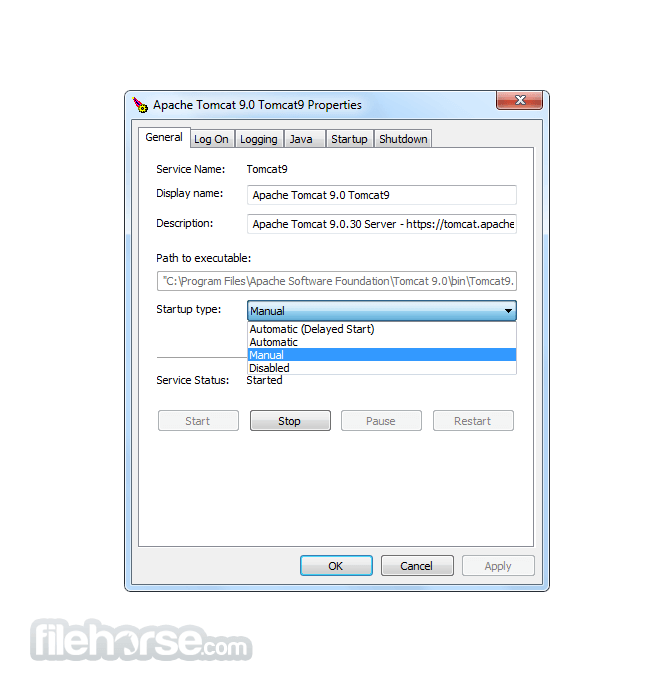
Apache Tomcat 11.0.22 Screenshots
The images below have been resized. Click on them to view the screenshots in full size.
-

-

-

-

What's new in this version:
- Enhance version.sh and version.bat to display APR, Tomcat Native, and OpenSSL version information
- Free private keys, keys and certificates after use in FFM based connector configuration
- Various HTTP/2 validation improvements and a broader change to use stream resets rather than connection closures where appropriate
 OperaOpera 132.0 Build 5905.11 (64-bit)
 AdsPowerAdsPower - Antidetect Browser
 PhotoshopAdobe Photoshop CC 2026 27.7 (64-bit)
 BlueStacks AIBlueStacks AI
 OKXOKX - Buy Bitcoin or Ethereum
 CapCutCapCut Desktop 8.5.0
 PC RepairPC Repair Tool 2026
 Hero WarsHero Wars - Online Action Game
 TradingViewTradingView - Trusted by 100 Million Traders
 AdGuard VPNAdGuard VPN 2.9.0
Comments and User Reviews